Take care of your mobile, before somebody else does!


G Data MobileSecurity specification:

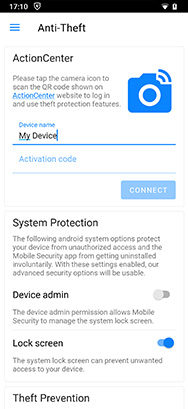
  • Security when mobile surfing and calling
  • Protection for your identity and personal, confidential content such as messages or emails against viruses, malware and other spy programs.
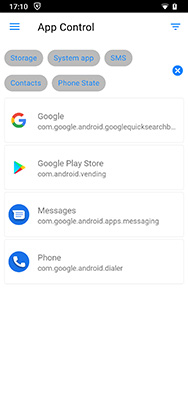
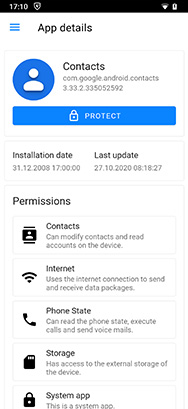
  • Authorisation checking: which apps are allowed to initiate calls, send SMS or access the Internet?
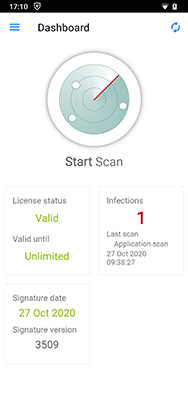
  • OnDemand virus checking
  • Periodic virus checking
  • Automatic checking of newly installed apps
  • Authorisation checking for installed apps


System requirement: AndroidTM operating system 2.0 or higher


How to get G Data MobileSecurity

Array
Array


G Data MobileSecurity installation instructions

Software download
You have two options for downloading G Data MobileSecurity for AndroidTM smartphones to your mobile phone.

1. Enter gms.gdata.de into your AndroidTM smartphone's web browser to automatically download the free G Data MobileSecurity software to your mobile.

2. Photograph the QR code visible at the upper right on the mobile screen with a barcode scanner app to automatically download the free G Data MobileSecurity software to your mobile.


Software installation
1. Exit your AndroidTM smartphone's web browser and start the installation process for the G Data MobileSecurity software you have downloaded.

2. After installing, open G Data MobileSecurity and accept the licence agreement. The software is now ready for use.

3. To activate regular virus signatures updates, you must enable updates. To do this, click on the "Update" button in the program's start screen.

4. As a registered user of a G Data PC full version product with a valid licence, you receive regular virus updates for G Data MobileSecurity for free. To do so, please click on the "Enable updates" button and follow the instructions.

5. If you are not yet using a G Data PC full version product, please click on the "Display update offer" button. Select your country and preferred language and find out about our cheap, one-year virus signature updates without any obligation.


Got any questions or problems?
Send us an email at service@remove-this.gdata.de or call the G Data ServiceCenter, where we will be happy to help you.

Germany:
0180 / 555 48 40 (0.14 EUR/min. from a land line, mobile phone costs may vary*)Austria: +49 180 / 555 48 40 (0.14 EUR/min. from a land line*)

Austria:
+49 180 / 555 48 40 (0.14 EUR/min. from a land line*)
*Calls from mobile networks in Germany can cost up to 42 cents per minute. Call charges from foreign mobile networks may vary considerably.

G Data Software AG